React.js: A Powerhouse for Modern Web Development

I am a MERN stack developer and student from India. Building and contributing to community.
A Journey Inside the Core of Modern Web Development
⏱️ 8 min read
Tags: React Native, React , Components, JSX, Web Development, Next.js, JavaScript, App Development
Hey folks 👋
In this blog, I’m going to deep dive into the React ecosystem — what React is, why it’s so powerful, how components & JSX work, and how you can build web and mobile apps with it. I’ll also share my personal experience as a React developer and why learning React was a turning point in my development journey.
So let’s get started — no fluff, no unnecessary theory.
Prerequisites 📌
There are no strict prerequisites for this blog. If you have a basic understanding of JavaScript functions, you’re good to go. Familiarity with HTML and CSS is a bonus, but even a base-level understanding is enough.
What is React.js? 🤔
React.js is a JavaScript library developed by Meta (formerly Facebook Inc.) and released in 2013. It is used to build fast, scalable, and interactive user interfaces, especially for single-page applications.
The core idea behind React is component-based development.
👉 In React, every part of a website—such as headers, footers, cards, buttons, and sections—is broken into independent, reusable components.
Why is this important?
Components reduce code duplication
They make applications easier to maintain
UI becomes modular and scalable
Instead of writing the same code again and again, you reuse components wherever needed.

What Makes React So Powerful? ⚡
React’s popularity comes from a few key ideas:
1. Component-Based Architecture
Breaks the UI into small reusable pieces
Improves readability and maintainability
Reduces development time
2. Built on Core Web Technologies
React is not magic ✨. Under the hood, it uses:
HTML
CSS
JavaScript
So if you already know these, learning React becomes much easier.
3. Declarative UI
You just describe what the UI should look like, and React handles the updates efficiently.
Components & JSX 🧩
Components
A component is an independent, reusable piece of UI.
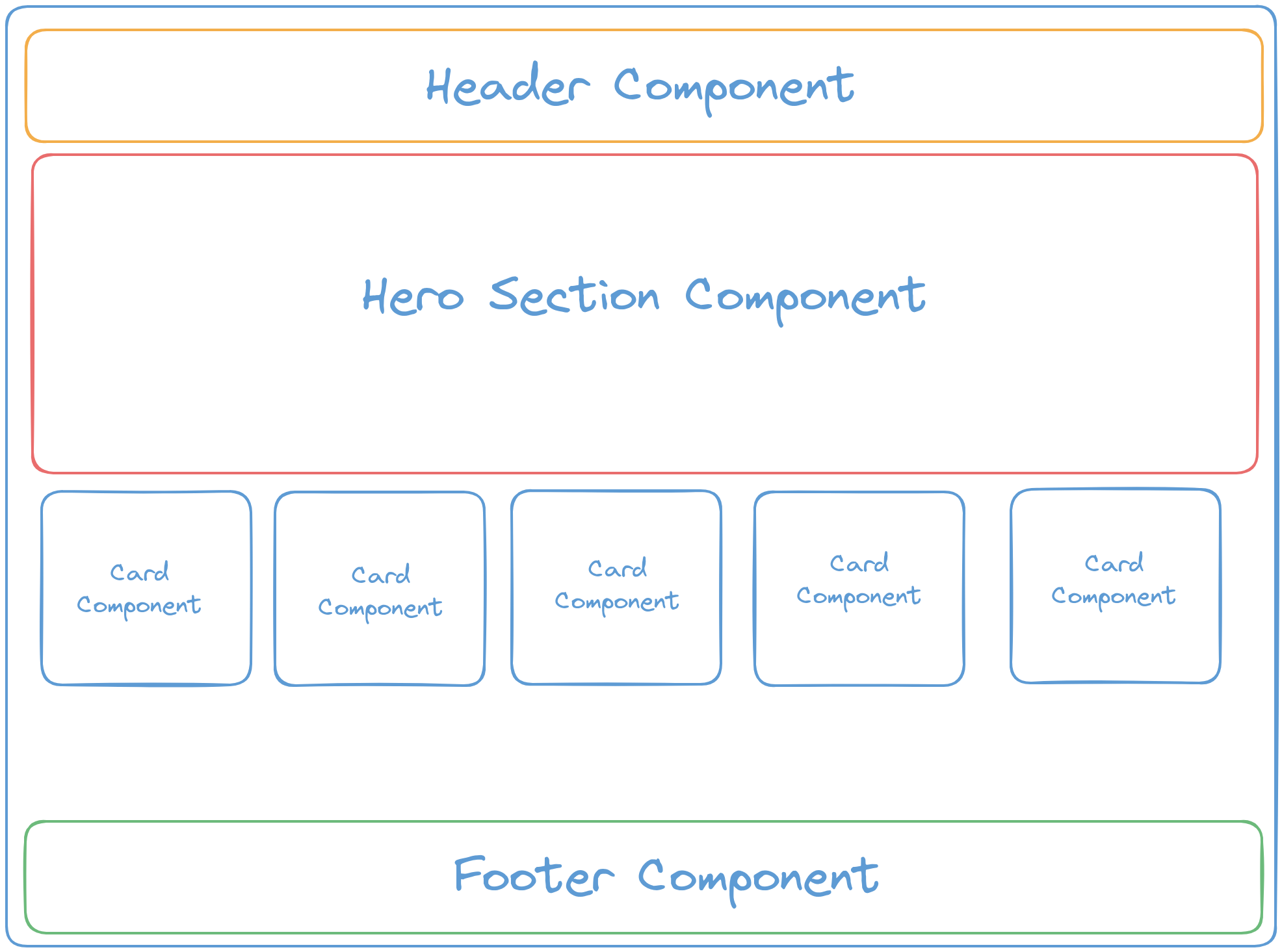
Example components in a website:
Header component
Hero section component
Card component
Footer component
When these components are combined, they form a complete webpage.
👉 The biggest advantage here is reusability.
For example, a single Card component can be reused multiple times across different pages.
React basically breaks the entire website into small components that can be plugged in anywhere.
JSX (JavaScript XML)
JSX is one of the most important features of React.
JSX allows you to write HTML inside JavaScript.
That means:
JavaScript + HTML in one file
Cleaner and more readable UI code
JSX Example:
const Header = () => {
  return (
    <div>
      <p>This is a header</p>
    </div>
  );
};
How Does React Actually Work? 🔍
At its core, React is just JavaScript functions returning HTML using JSX.
Let’s understand this with a simple example.
Normal JavaScript Function:
const sampleFunction = () => {
  return "It is a sample function";
};

console.log(sampleFunction());
// Output: It is a sample function
React Functional Component:
const MainSection = () => {
  return <p>It is a main section</p>;
};

export default MainSection;
👉 A React component is nothing but a function that returns JSX (HTML).
Using the Component:
import MainSection from "./MainSection";

const App = () => {
  return (
    <div>
      <MainSection />
    </div>
  );
};
When React renders this, it replaces the component with the returned HTML.
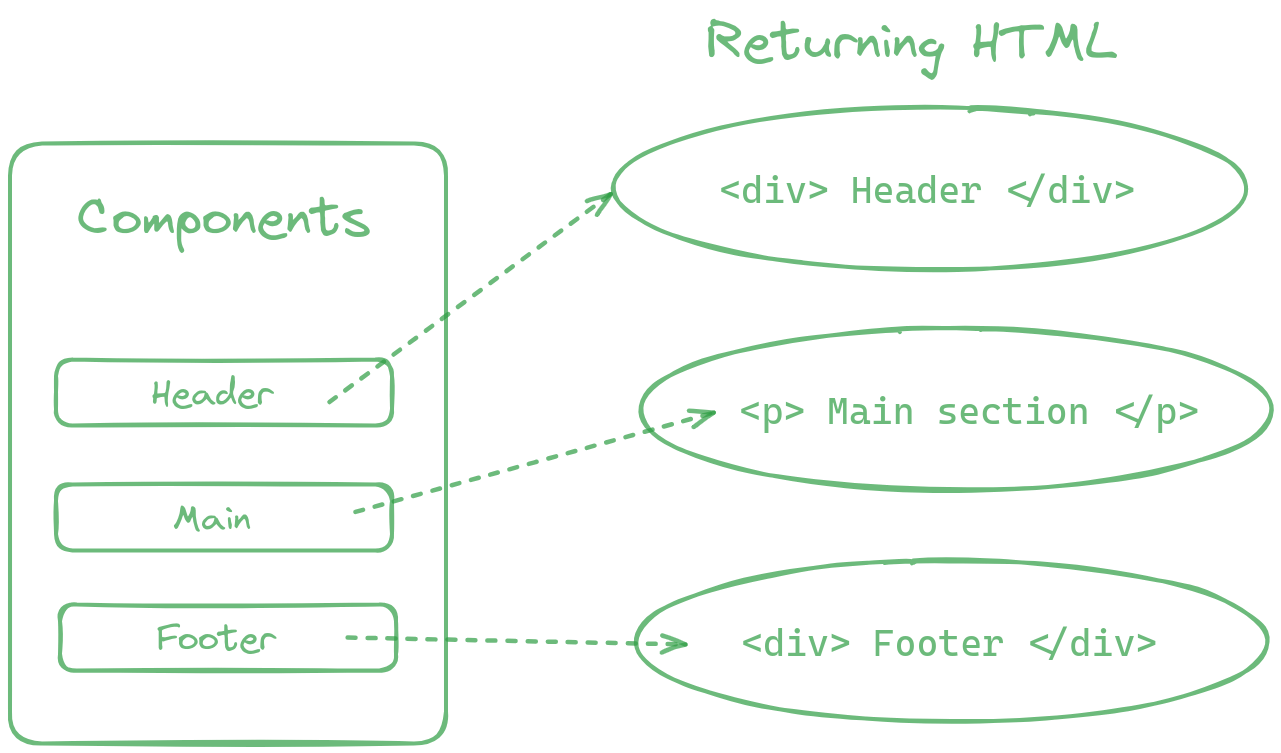
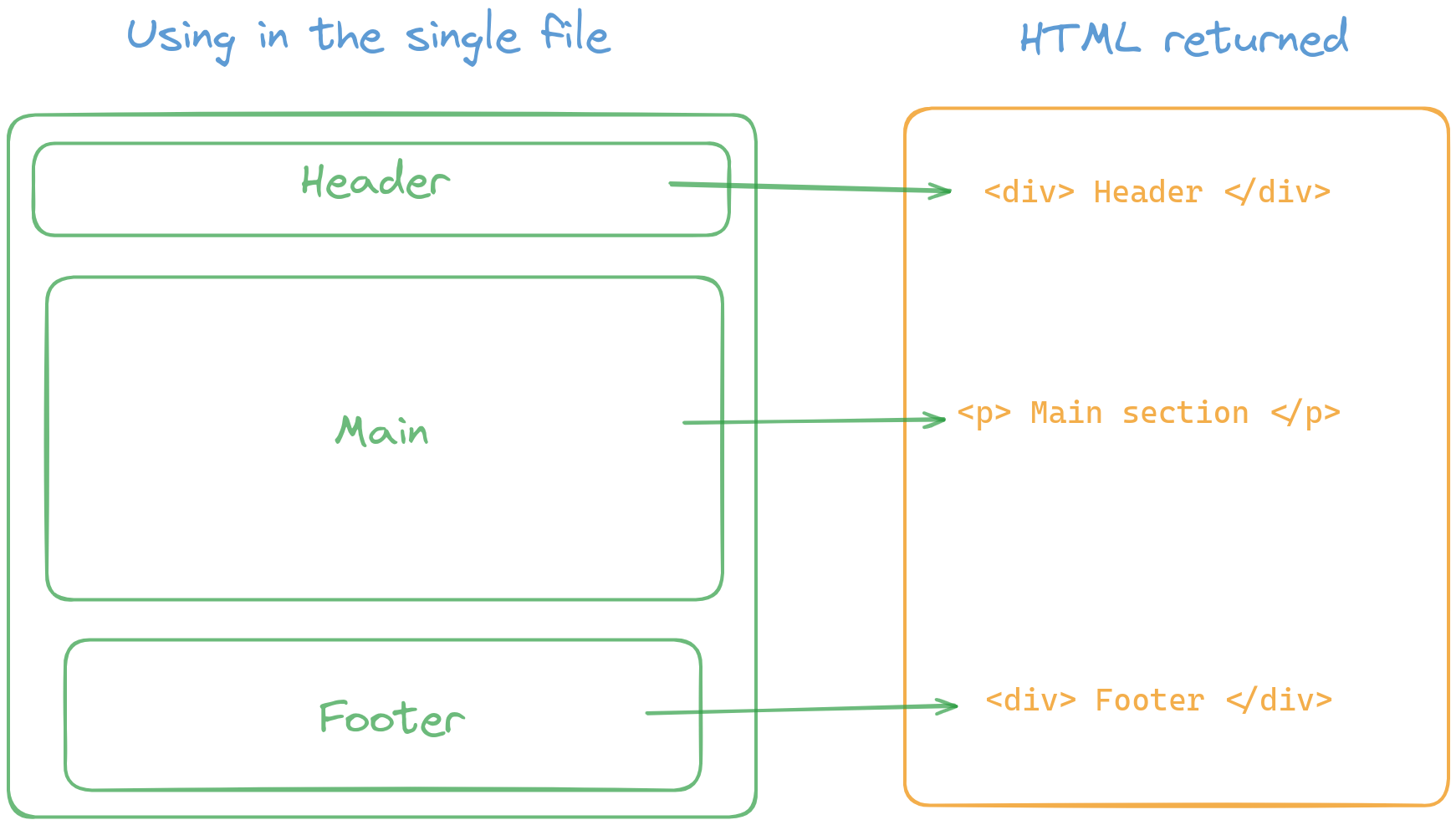
In the above diagram, we have 3 components and we have the html returning from those components. So we use the components in single file and it returned the html's from all the components in that single file. and that's how it works.
That’s it — simple and powerful 🤷
App Development with React Native📱
Most developers want to build Android and iOS apps.
Here’s the good news 👇
React Native
Cross-platform app development framework
Build Android & iOS apps using React
Similar to Flutter but JavaScript-based
If you already know React, learning React Native is extremely fast.
Hardware Friendly
You don’t need a high-end laptop.
I personally use React Native on a very low-powered laptop (one of the slowest I’ve ever seen 😂), and it still works fine.
My Experience with React ❤️
Let me share my story.
I started my development journey with:
HTML
CSS
JavaScript
I built websites, animations, and even small games using these technologies. I was comfortable — but then I decided to learn React.js.
After a few days of reading documentation and practicing fundamentals, I fell in love with React.
I still remember building a movie website with lots of repetitive code before learning React. After learning components, I literally laughed and said:
“Why didn’t I learn React earlier?” 😅
React completely changed the way I think about UI development.
What’s Next? 🚀
Once you learn React, you can easily move to:
Next.js (React framework)
Server-side rendering
SEO-friendly web apps
Next.js is becoming extremely popular, and React is the foundation for it.
Final Thoughts ✨
If you’re thinking whether to learn React or not — just learn it.
It opens doors to:
Frontend development
Mobile app development
Full-stack development
I’ll be writing more blogs in the future, so stay tuned.
📩 Subscribe to my newsletter for updates.
Thanks for reading 🙌
Have a great day! ✌️


